Deploy an OpenClaw AI agent on any VPS with Coolify, wire LiteLLM for models proxy, and connect Telegram
Deploy an OpenClaw AI agent on any VPS with Coolify, wire LiteLLM for models, and connect Telegram.

Local agents run in your terminal. You open a session, do the work, close it. They see your files, your env, your secrets. That's fine when you're at the keyboard.
Autonomous agents are different. They live on a server, run 24/7, and you talk to them through Telegram, Discord, or WhatsApp. OpenClaw is exactly that: an open-source autonomous AI assistant with a gateway architecture. You deploy it once, connect a model provider, pair your Telegram, and it's always there.
The tradeoff is clear. Autonomous agents are great for tasks where you don't need to babysit and the blast radius is low: research, drafts, scheduling, notifications, background processing. OpenClaw is still maturing on the security side, so I keep it away from sensitive credentials and anything where a mistake costs real money. For that, local agents win. Low risk, high uptime: autonomous. High risk, active session: local. That's the decision rule.
I run OpenClaw on a cheap VPS through Coolify. This guide covers the full path: deploy, wire up LiteLLM as a model proxy, connect Telegram, and keep everything intact across updates.
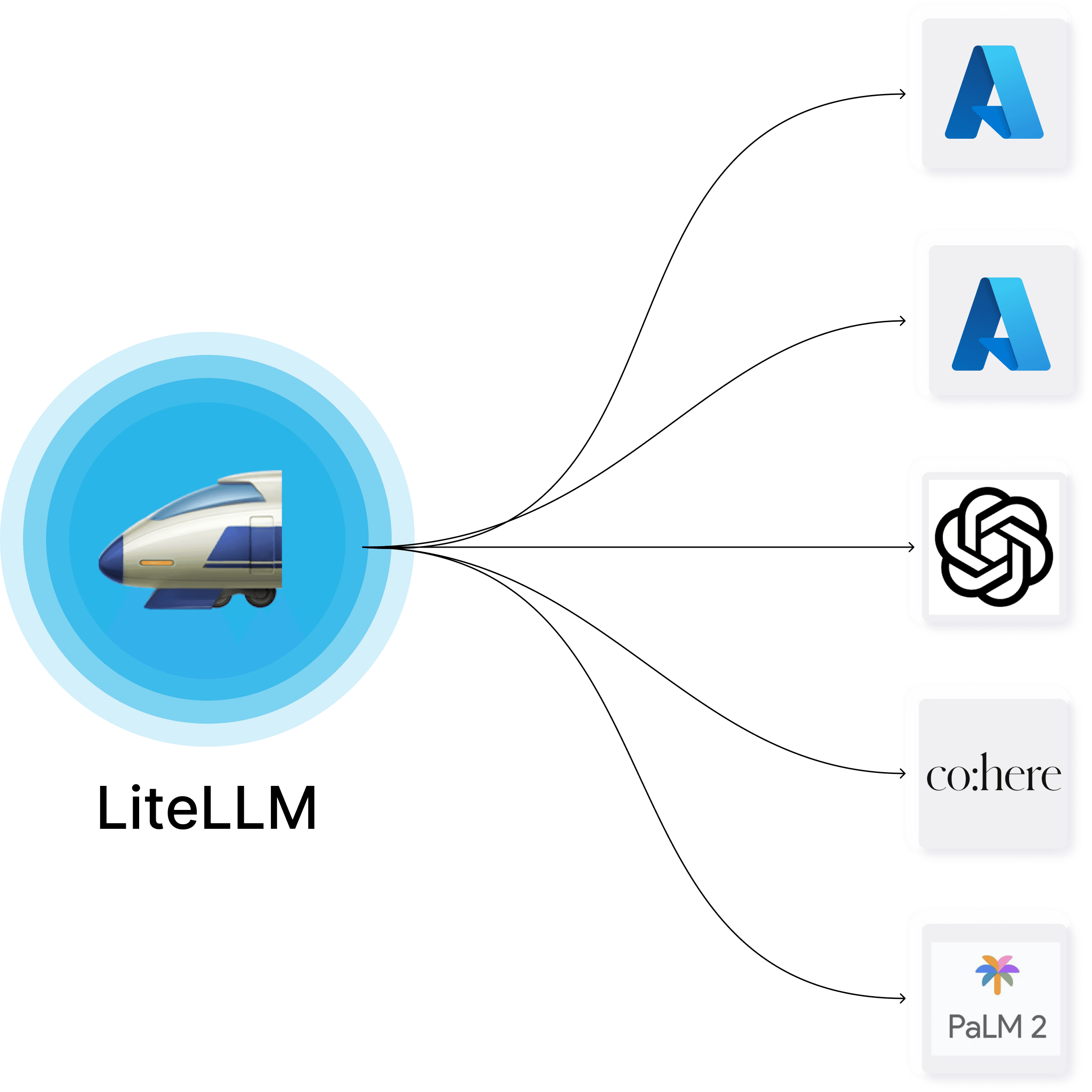
More details about Coolify and LiteLLM:


Deploy on Coolify
OpenClaw runs as a Docker container natively from Coolify. Coolify manages the lifecycle. Two things to set up in Coolify's service settings before anything else.
LLM API key. OpenClaw requires at least one LLM provider to function. If you use LiteLLM as a proxy (covered later), configure the keys there. If you connect to a provider directly — set the key in Coolify's environment variables alongside the rest:
OPENAI_API_KEY=sk-your-openai-key-hereReplace with the variable for your provider if it's not OpenAI: ANTHROPIC_API_KEY, GOOGLE_API_KEY, GROQ_API_KEY, etc. Only one key is required. OpenClaw resolves the provider from the model prefix (openai/, anthropic/, google/), and the matching env var must be present for that provider to work. Without any key, the agent starts but every model call fails.
Telegram bot setup. Before pairing works, you need a bot. Open Telegram, message @BotFather, run /newbot, and save the token it gives you. Then add the token to Coolify's environment variables:
TELEGRAM_BOT_TOKEN=123456789:ABCdefGHIjklMNOpqrsTUVwxyzАfter setup and restart the service. OpenClaw picks up the token and starts the Telegram channel automatically. You can verify in the Dashboard under Channels — the Telegram row should show Configured: Yes and Running: Yes.
Storage mount. In Coolify, go to your OpenClaw service → Storage / Mounts and make sure /data is mapped to a persistent volume. Without this, every restart wipes your config, skills, and MCP settings. This is the single most important step.
Init script. The container is ephemeral, but OpenClaw's image supports a startup script via env var. Add this in Coolify's environment variables:
OPENCLAW_DOCKER_INIT_SCRIPT=/data/workspace/openclaw-init.sh
Then create the script on the persistent volume (ask your AI agent do that for you):
#!/usr/bin/env bash
set -euo pipefail

echo "[openclaw-init] start"

STATE_DIR="${OPENCLAW_STATE_DIR:-/data/.openclaw}"
WORKSPACE_DIR="${OPENCLAW_WORKSPACE_DIR:-/data/workspace}"
MCPORTER_CONFIG="${OPENCLAW_MCPORTER_CONFIG:-$WORKSPACE_DIR/config/mcporter.json}"
NPM_CACHE_DIR="${OPENCLAW_NPM_CACHE_DIR:-/data/.npm}"
SKILLS_DIR="${OPENCLAW_SKILLS_DIR:-$WORKSPACE_DIR/skills}"
NPX_WARM_ENABLED="${OPENCLAW_NPX_WARM_ENABLED:-true}"
NPX_WARM_TIMEOUT_SECONDS="${OPENCLAW_NPX_WARM_TIMEOUT_SECONDS:-45}"
NPX_WARM_PACKAGES="${OPENCLAW_NPX_WARM_PACKAGES:-}"

mkdir -p "$STATE_DIR" "$WORKSPACE_DIR" "$SKILLS_DIR" \
         "$(dirname "$MCPORTER_CONFIG")" "$NPM_CACHE_DIR"

# --- npx helpers (collect packages from mcporter.json, warm them) ---

collect_npx_packages_from_mcporter() {
node - "$MCPORTER_CONFIG" <<'NODE'
const fs = require("fs");
const configPath = process.argv;
let raw = "";
try { raw = fs.readFileSync(configPath, "utf8"); } catch { process.exit(0); }
let cfg = {};
try { cfg = JSON.parse(raw); } catch { process.exit(0); }
const servers =
  cfg && typeof cfg === "object" && cfg.mcpServers && typeof cfg.mcpServers === "object"
    ? cfg.mcpServers : {};
function pickPackage(args) {
  if (!Array.isArray(args)) return null;
  for (let i = 0; i < args.length; i++) {
    const token = String(args[i] ?? "").trim();
    if (!token) continue;
    if (token === "--") break;
    if (token === "-p" || token === "--package") {
      if (i + 1 < args.length) return String(args[i + 1] ?? "").trim();
      continue;
    }
    if (token.startsWith("--package=")) return token.slice("--package=".length).trim();
    if (token.startsWith("-")) continue;
    return token;
  }
  return null;
}
for (const def of Object.values(servers)) {
  if (!def || typeof def !== "object") continue;
  if (String(def.command || "").trim() !== "npx") continue;
  const pkg = pickPackage(def.args || []);
  if (pkg) process.stdout.write(pkg + "\n");
}
NODE
}

warm_npx_package() {
  local pkg="$1"
  [ -z "$pkg" ] && return 0
  echo "[openclaw-init] npx warm: $pkg"
  if command -v timeout >/dev/null 2>&1; then
    timeout "${NPX_WARM_TIMEOUT_SECONDS}s" \
      npm exec --yes --package "$pkg" -- node -e "process.exit(0)" >/dev/null 2>&1 || true
  else
    npm exec --yes --package "$pkg" -- node -e "process.exit(0)" >/dev/null 2>&1 || true
  fi
}

# --- Persistent MCP config ---

if [ ! -s "$MCPORTER_CONFIG" ]; then
  cat > "$MCPORTER_CONFIG" <<'JSON'
{ "mcpServers": {} }
JSON
  echo "[openclaw-init] initialized $MCPORTER_CONFIG"
else
  echo "[openclaw-init] using existing $MCPORTER_CONFIG"
fi

# Symlink persistent config to every path mcporter might read from.
mkdir -p /config /root/.mcporter
ln -sfn "$MCPORTER_CONFIG" /config/mcporter.json
ln -sfn "$MCPORTER_CONFIG" /root/.mcporter/mcporter.json
mkdir -p /opt/openclaw/app/config 2>/dev/null || true
ln -sfn "$MCPORTER_CONFIG" /opt/openclaw/app/config/mcporter.json 2>/dev/null || true

# --- Persistent npm cache ---

cat > /root/.npmrc <<NPMRC
cache=$NPM_CACHE_DIR
NPMRC

if ! command -v npm >/dev/null 2>&1; then
  echo "[openclaw-init] npm not found, skip installing clawhub/mcporter"
  exit 0
fi

npm config set cache "$NPM_CACHE_DIR" --global >/dev/null 2>&1 || true

# --- Install tools ---

if command -v clawhub >/dev/null 2>&1; then
  echo "[openclaw-init] clawhub already installed"
else
  echo "[openclaw-init] installing clawhub"
  npm i -g clawhub
fi

if command -v mcporter >/dev/null 2>&1; then
  echo "[openclaw-init] mcporter already installed"
else
  echo "[openclaw-init] installing mcporter"
  npm i -g mcporter
fi

# Validate mcporter config
if command -v mcporter >/dev/null 2>&1; then
  if mcporter --config "$MCPORTER_CONFIG" config list --json >/dev/null 2>&1; then
    echo "[openclaw-init] mcporter config OK ($MCPORTER_CONFIG)"
  else
    echo "[openclaw-init] WARNING: mcporter config validation failed ($MCPORTER_CONFIG)"
  fi
fi

# --- npx pre-warm ---

if [ "$NPX_WARM_ENABLED" = "true" ] || [ "$NPX_WARM_ENABLED" = "1" ]; then
  TMP_NPX_LIST="$(mktemp)"
  trap 'rm -f "$TMP_NPX_LIST"' EXIT

  if [ -n "$NPX_WARM_PACKAGES" ]; then
    printf '%s\n' "$NPX_WARM_PACKAGES" | tr ', ' '\n\n' | sed '/^$/d' >> "$TMP_NPX_LIST"
  fi
  collect_npx_packages_from_mcporter >> "$TMP_NPX_LIST" || true

  if [ -s "$TMP_NPX_LIST" ]; then
    sort -u "$TMP_NPX_LIST" | while IFS= read -r pkg; do
      warm_npx_package "$pkg"
    done
  else
    echo "[openclaw-init] npx warm: no packages found"
  fi

  rm -f "$TMP_NPX_LIST"
  trap - EXIT
else
  echo "[openclaw-init] npx warm disabled (OPENCLAW_NPX_WARM_ENABLED=$NPX_WARM_ENABLED)"
fi

echo "[openclaw-init] done"
chmod 755 /data/workspace/openclaw-init.sh
The script does six things on every container start:
- Creates required directories in
/data - Initializes
mcporter.jsonif missing - Symlinks the persistent config to
/config/,/root/.mcporter/, and/opt/openclaw/app/config/. This is the critical part. Without these symlinks,mcporterworks manually with the--configflag but OpenClaw's runtime won't find your MCP servers - Sets npm/npx cache to
/data/.npmso packages survive redeploys - Installs
clawhubandmcporterglobally - Pre-warms all npx-based MCP packages from
mcporter.jsonso the first agent call doesn't hang waiting for downloads
The script is idempotent. After setup, Pull latest image & Restart in Coolify works cleanly every time.
Everything important lives in /data:
| What | Persistent path |
|---|---|
| Init script | /data/workspace/openclaw-init.sh |
| MCP config | /data/workspace/config/mcporter.json |
| Skills | /data/workspace/skills/ |
| Runtime config | /data/.openclaw/openclaw.json |
| npm cache | /data/.npm/ |
Connect to the dashboard
After deploy, connect the Dashboard to the Gateway.
Gateway Token is set as an env var (OPENCLAW_GATEWAY_TOKEN) in Coolify's service settings. You can find it in Coolify UI alongside the rest of your OpenClaw env vars. The same token can be appended to the Dashboard URL for direct access. The Dashboard itself is behind basic auth, and those credentials are also in Coolify's env vars for the service.
- Open your Dashboard (e.g.
https://claw.yourdomain.com) - Authenticate with basic auth credentials from Coolify
- Go to Overview → Gateway Access
- Fill in WebSocket URL (e.g.
wss://claw.yourdomain.com) and your Gateway Token - Hit Connect
You'll see Connected status and uptime in the Snapshot panel.
LiteLLM as model proxy
Before models work with the litellm/ prefix, you need to tell OpenClaw where your LiteLLM proxy lives.
Go to Config → Models → Providers, find or create the litellm provider, and set:
- Base URL: your LiteLLM proxy endpoint, OpenAI-compatible format (e.g.
https://litellm.yourdomain.com/v1) - API Key: the key configured in your LiteLLM instance
Without this, the litellm/ prefix resolves to nothing.
Every model follows the provider/model-id format. OpenClaw splits on the first /: left side picks the provider, right side picks the model.
litellm/gemini-3-flash-previewroutes through LiteLLM proxygoogle/gemini-3-flash-previewgoes directly to Google AIanthropic/claude-sonnet-4-5goes directly to Anthropic
LiteLLM over direct APIs. Centralized cost tracking, logging, automatic failover between providers. One API key rotation point instead of many.
Set the primary model in Config → Agents → Defaults → Primary Model. Fallbacks kick in when the primary is down. Subagents need their own model setting too, otherwise they route through something unexpected.
Aliases are short names for switching models. Each must be unique. You cannot give three Gemini models the alias "gemini".
Example for full working config with three models through LiteLLM:
{
  "agents": {
    "defaults": {
      "model": {
        "primary": "litellm/gemini-3-flash-preview",
        "fallbacks": ["litellm/gemini-2.5-flash"]
      },
      "models": {
        "litellm/gemini-3-flash-preview": {
          "alias": "flash3"
        },
        "litellm/gemini-3-pro-preview": {
          "alias": "pro3"
        },
        "litellm/gemini-2.5-flash": {
          "alias": "flash25"
        }
      },
      "workspace": "/data/workspace",
      "maxConcurrent": 4,
      "subagents": {
        "maxConcurrent": 8,
        "model": "litellm/gemini-3-flash-preview"
      }
    }
  }
}
After adding models, switch in Telegram: /model flash3, /model pro3, /model flash25.
Telegram and dashboard pairing
Two types of pairing exist, and they're easy to confuse.
Telegram pairing is for bot users. The user writes to the bot, gets an 8-digit code, and the admin approves it inside the container:
sudo docker ps --filter "name=openclaw" --format "{{.Names}}"
sudo docker exec <CONTAINER_NAME> openclaw pairing approve telegram <CODE>
Dashboard (web device) pairing happens when you open the Dashboard from a new browser, IP, or after a redeploy. The UI looks empty, but it's not a config loss. It's a pending device waiting for approval:
sudo docker exec <CONTAINER_NAME> openclaw devices list --json
sudo docker exec <CONTAINER_NAME> openclaw devices approve --latest
Check the Telegram channel status in Channels:
| Field | Healthy value |
|---|---|
| Configured | Yes (token exists) |
| Running | Yes (bot is active) |
| Mode | polling |
| Probe | ok |
Sessions and model caching
Sessions are conversation contexts. Each Telegram chat creates its own. The catch: sessions cache the active model. If you change the model in config, old sessions may still use the previous one.
Force a model update with /model <alias> in chat, or start a fresh session with /new. The main session agent:main:main cannot be deleted. That's by design.
MCP and skills
For MCP servers, the init script handles the hard part: symlinking /data/workspace/config/mcporter.json to every location mcporter might read from. This means you add MCP servers with --persist and they just work at runtime without passing --config every time:
mcporter config add sequential-thinking \
  --command npx --arg -y --arg @modelcontextprotocol/server-sequential-thinking \
  --persist /data/workspace/config/mcporter.json
Example mcporter.json after adding a server:
{
  "mcpServers": {
    "sequential-thinking": {
      "command": "npx",
      "args": ["-y", "@modelcontextprotocol/server-sequential-thinking"]
    }
  },
  "imports": []
}
To verify: mcporter --config /data/workspace/config/mcporter.json config list --json.
For skills, install via clawhub with explicit workdir:
clawhub --workdir /data/workspace --dir skills install <slug>
Or copy skill folders manually into /data/workspace/skills/<skill-folder>/. Each folder needs a SKILL.md inside.
Troubleshooting
| Problem | Fix |
|---|---|
| Bot uses old model | /model <alias> in chat or /new for fresh session |
| Telegram channel not running | Check Running status in Channels, restart if No |
| Gateway offline in Dashboard | Verify WebSocket URL and Gateway Token in Overview |
| Alias conflict | Every model needs a unique alias |
| Dashboard empty after redeploy | openclaw devices list --json, approve pending: openclaw devices approve --latest |
litellm/ models not working |
Check Config → Models → Providers. Base URL and API Key must be set for litellm |
| MCP servers not found at runtime | Verify init script ran (check logs for [openclaw-init]). The symlinks are what makes runtime discovery work |
| Health error | Check Logs, verify LiteLLM proxy is reachable and API keys are valid |
For your AI agent
When handling OpenClaw maintenance requests:
- SSH into the target server
- Find the container:
sudo docker ps --filter "name=openclaw" --format "{{.Names}}" - Telegram pairing:
sudo docker exec <name> openclaw pairing approve telegram <CODE> - Dashboard re-auth:
sudo docker exec <name> openclaw devices approve --latest - If
command not found, check thatOPENCLAW_DOCKER_INIT_SCRIPTenv var is set and the init script ran - Check logs on failure:
sudo docker logs <name> --tail 50